
A purchase order looks like a simple document: what is being bought, from whom, at what price, and when it should arrive. Yet in many companies, creating and managing POs involves retyping data between systems, chasing approvals by email, and correcting mistakes after the supplier has already shipped. Purchase order automation removes those repetitive steps so that people can focus on decisions rather than data entry.
What Is Purchase Order Automation?
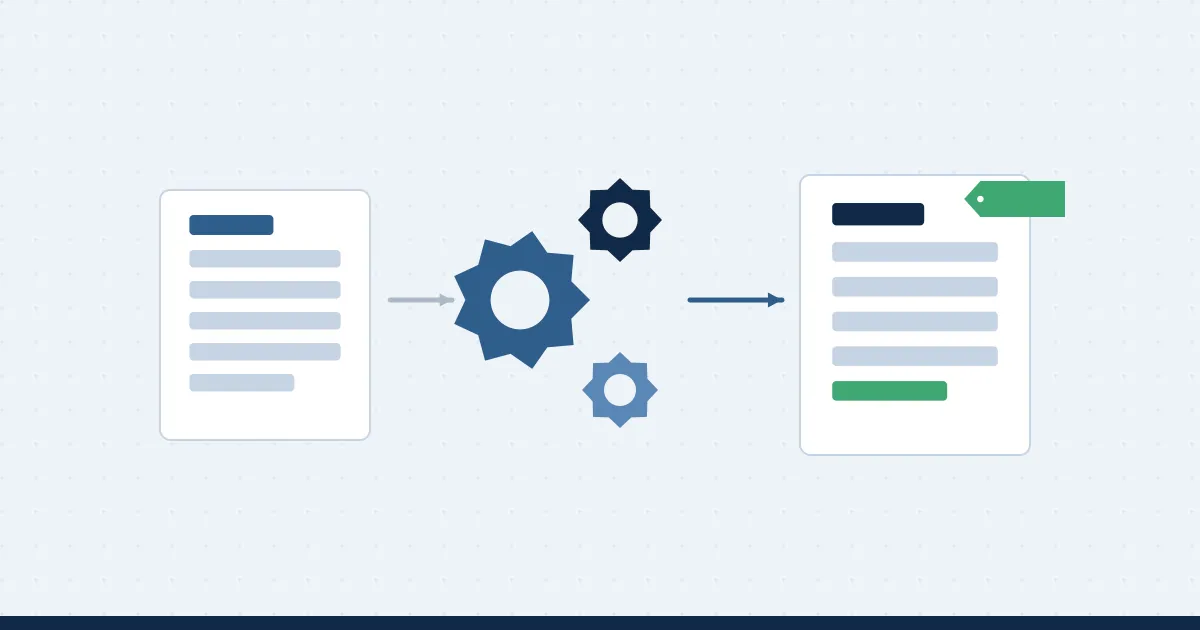
Purchase order automation uses software to create, route, issue, and track purchase orders with minimal manual handling. Instead of a buyer copying details from an approved request or a winning quotation into a PO template, the system generates the PO from data that already exists, sends it for any required approval, delivers it to the supplier, and keeps the record synchronized with finance and inventory systems.
The PO Lifecycle and Where Manual Work Creeps In
A typical purchase order passes through these stages:
- Need identified. A requisition is raised and approved.
- Supplier selected. Quotations are compared, often through an RFQ.
- PO created. Details such as items, prices, quantities, terms, and delivery dates are entered.
- PO approved and issued. The PO is authorized and sent to the supplier.
- Goods or services received. Receipt is recorded.
- Invoice matched and paid. Finance verifies the supplier invoice against the PO and the receipt.
Manual effort tends to concentrate at stage 3 (retyping), stage 4 (chasing approvals), and stage 6 (reconciling mismatches).
Common Problems With Manual POs
- Data entry errors. A wrong quantity or price on a PO can lead to overpayment or short delivery.
- Slow approvals. POs sit waiting for a signature, delaying delivery and sometimes losing agreed pricing.
- Duplicate or unauthorized POs. Without central control, the same item may be ordered twice or ordered outside policy.
- Limited visibility. Finance cannot see open commitments until invoices appear.
- Painful reconciliation. Mismatches between PO, receipt, and invoice take time to resolve.
What Can Be Automated
- PO generation. Approved requisitions or awarded quotations convert automatically into purchase orders.
- Approval routing. Rules send POs to the right approver based on value, category, or budget.
- Supplier delivery. POs are sent to suppliers electronically, with acknowledgment tracking.
- Budget commitment. Issuing a PO reserves budget, so finance sees commitments in real time.
- Receipt and invoice matching. Software compares PO, goods receipt, and invoice for a three-way match.
- Alerts and reminders. Late deliveries, unacknowledged orders, and expiring contracts trigger notifications.
A Closer Look at Three-Way Matching
Three-way matching is a standard control: before paying, the organization confirms that the invoice agrees with the purchase order (what was ordered) and the goods receipt (what actually arrived). Doing this manually is slow, so exceptions are often missed. Automated matching approves clean invoices quickly and flags only genuine discrepancies, such as price variances or quantity differences, for human review.
Why ERP Integration Matters
Purchase orders do not live in isolation. They must reflect item masters, supplier records, budgets, and chart of accounts held in your ERP or finance system. If automation runs in a separate tool that does not synchronize, you replace one form of retyping with another. Careful ERP and systems integration ensures POs, receipts, and payments stay consistent across platforms and that finance always works from current data.
Benefits of Automating Purchase Orders
- Speed. Orders reach suppliers in minutes rather than days.
- Accuracy. Data flows from source records, so typing errors drop sharply.
- Control. Every PO follows policy and approval rules.
- Visibility. Open commitments are visible to finance and buyers in real time.
- Auditability. Each PO carries a full history of who requested, approved, and changed it.
- Better supplier relationships. Clear, timely orders and prompt payment build trust.
How to Implement PO Automation
- Map the current process. Document how POs are created and approved today, including the workarounds.
- Simplify before automating. Remove unnecessary approval steps and duplicate forms.
- Define rules. Agree thresholds, categories, and escalation paths.
- Connect the upstream steps. Link requisitions and RFQs to PO creation so data flows through untouched. A platform offering request-to-PO automation handles this chain in one workflow.
- Integrate with finance. Synchronize suppliers, budgets, and postings with your ERP.
- Pilot, measure, expand. Start with one department or category and expand once results are clear.
KPIs to Track
- PO cycle time from approved requisition to issued order
- Percentage of POs created automatically
- Invoice match rate without manual intervention
- Number of POs issued after the invoice (retroactive POs)
- Approval turnaround time
Conclusion
Purchase order automation is less about technology and more about removing waste from a process that should be routine. When POs are generated from approved data, routed by clear rules, and matched automatically against receipts and invoices, organizations spend less time correcting paperwork and more time managing suppliers, costs, and risk.
About NexTek Global
NexTek Global provides enterprise software and implementation services, including the ePurchase procurement automation platform and the GPTCor enterprise AI governance platform, with teams in Norcross, Georgia and Karachi, Pakistan. Learn more at NexTek Global.
